The short version
- Managed IT support means a fixed monthly fee and a provider who is responsible for keeping things working, not just fixing them when they break.
- The most valuable part is the work nobody sees: daily backup checks, security alerts and patching.
- A good provider can often look after your phones and help with printer setup, so you need fewer separate contracts.
- Compare quotes on scope, not price. Projects, hardware and out-of-hours work are the usual exclusions.
People's idea of what their IT provider should look after varies a lot. One of our team, in a previous job, was once asked to troubleshoot a lift that had broken down. Most businesses aren't that ambitious, but almost all of them underestimate what managed IT support involves, because the most important part happens when nobody has raised a ticket.
Below is what managed IT support normally includes, the parts that surprise people, what usually sits outside it, and the questions that tell you which version a provider is quoting for.
What "managed" actually means
Traditional IT support is reactive. Something breaks, you call someone, they fix it, and you get an invoice for the time. Managed IT support turns that round. You pay a fixed monthly fee, usually per user, and the provider takes ongoing responsibility for keeping your systems working.
That changes what they spend their time on. A provider paid the same whatever happens has every reason to stop problems before they start: patches applied before a weakness is exploited, a failing drive spotted on a dashboard rather than on the morning a laptop won't start, backups checked rather than assumed.
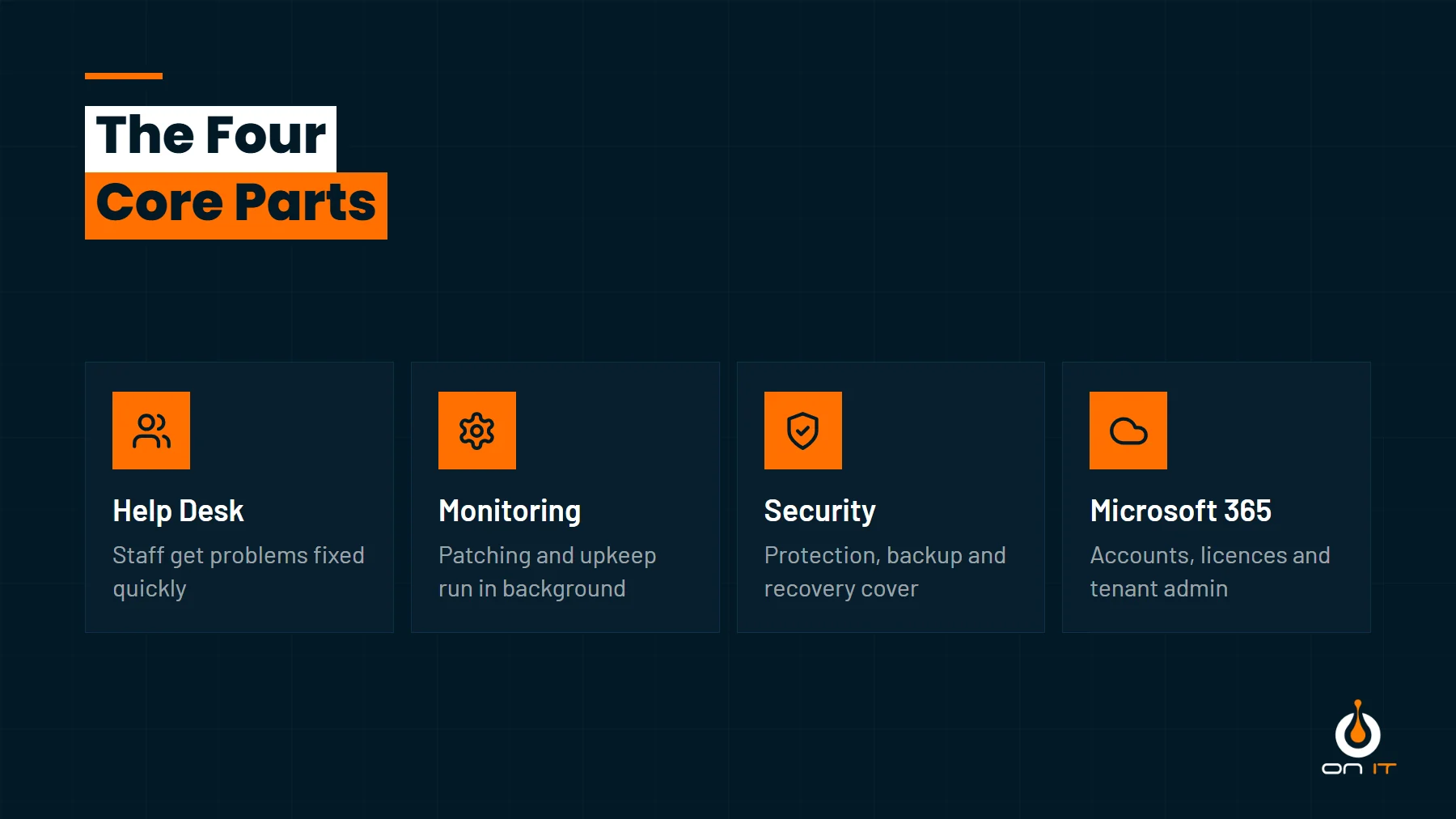
Most managed contracts are built from four blocks.
The help desk
Your staff will notice this part, and the part everyone expects. A help desk gives everyone one place to report a problem and get it fixed, whether that's a printer that won't print or a whole team locked out of a shared mailbox.
Two details matter more than people expect. The first is cover hours. Ours runs 9am to 5pm, Monday to Friday, which suits most SMEs, and out-of-hours cover is an add-on. Whatever you choose, know what you're buying rather than finding out at 6pm. The second is response times. Ask for them in writing, by priority. Ours is 30 minutes for a critical issue that stops people working.
Also check whether on-site visits are included, capped or charged on top. Most problems are fixed remotely, but a dead switch needs someone in the building.
The work nobody sees
Clients rarely see this block, and it's the one they'd notice first if it stopped. It's also the first thing cut from a cheap quote.
We check backups every day. When we see a failure in a backup report, even a single email that didn't copy across, we look at what it was and why. Usually it's something harmless, like a draft someone deleted before the backup ran. But that one email could be the signed agreement for the biggest deal of the year, and the only way to know is to look.
Security alerts get reviewed. Antivirus and endpoint protection raise signals all the time, most of them routine. Someone has to read them and act on the ones that aren't, and our team reviews them as they come in. For clients with email filtering, we also go through the digest reports for anything that was held back or slipped through.
Devices are monitored and patched. A monitoring agent on every computer reports around the clock on disk health, failed updates, low storage and unexpected restarts, and Windows and third-party updates are applied on a schedule rather than whenever someone clicks the reminder. Monitoring is 24/7 even though the help desk isn't, so problems are often waiting for us in the morning before anyone has noticed them.
Security and backup
This is where quotes differ most. Almost every provider includes antivirus. Fewer include the controls that stop the attacks that actually hit small businesses, which mostly come through email and stolen passwords rather than anything clever.
A sensible baseline is endpoint protection on every device, multi-factor authentication enforced across Microsoft 365, the default tenant settings tightened, and someone watching for sign-ins that don't look right. Phishing training and round-the-clock security monitoring are often extras.
For backup, ask three things: what is being backed up, how often, and when was a restore last tested? And check that Microsoft 365 itself is backed up. Microsoft keeps deleted items for a limited time, but that isn't the same as a backup, which we explain in our post on Microsoft 365 retention and backup.
Microsoft 365 administration
For most SMEs, Microsoft 365 is where email, files, Teams and often phone calls all live, and it needs looking after. Managed support normally covers new starters and leavers, mailbox and shared mailbox changes, Teams and SharePoint permissions, security settings, and finding the licences you're paying for that nobody uses.
Managing licences and paying for them are different things. Some providers bundle the licence cost into the per-user fee and some bill it separately. Either is fine, as long as you know which you're comparing.
The parts people don't expect
When we take on a new client, one thing that often surprises them is how much we can help with their phones and printers. Plenty of businesses have one contract for IT and another for telephony, with two numbers to ring and two suppliers to point at each other when something goes wrong. With phones running through Teams, the line between the two has mostly gone, and we can look after both.
Printers are a little different. We'll install drivers, set up scan to email and sort out the everyday "it won't print" tickets. Repairs, new orders and replacement machines are best handled by a print management company, which has the engineers and the parts. We know plenty of good ones and are happy to introduce you if you need one.
The other surprise is what we usually find in the first few weeks. Two things come up again and again:
- Email authentication. The SPF, DKIM and DMARC records that stop someone sending email as your domain are often missing, half set up or wrong. Our guide to SPF, DKIM and DMARC explains what they do.
- Permissions. Files shared directly with dozens of people across different departments, with no structure behind it, so nobody can say who has access to what.
Neither shows up as a ticket. Both are exactly the kind of thing a managed provider should find and fix without being asked.
Not sure what your current provider actually covers? We'll look at your setup and tell you straight.
Ask us to take a lookWhat usually isn't included
No contract covers everything, and a provider who says theirs does is worth a second look. The usual exclusions are:
- Projects, such as office moves, server replacements and migrations, which are quoted separately.
- Hardware. Laptops and firewalls are yours to buy, though a good provider will spec and set them up.
- Line-of-business software. Your CRM or accounts package vendor owns the application. Your IT provider makes sure you can get to it.
- Connectivity, which usually sits with your broadband or leased line supplier.
- Out-of-hours work, unless you've paid for it.
None of that is unreasonable. The problem is only ever finding out when the invoice arrives.
Ask before you sign
Get a clear answer on what you're buying
Managed IT support should mean a fixed monthly cost, someone accountable for keeping things running, and no arguments about whether a fault is chargeable. The only fair way to compare two quotes is on scope, not headline price.
See what our managed help desk covers, or get in touch and we'll put the boundaries in writing for your business.